Choose the footage you need
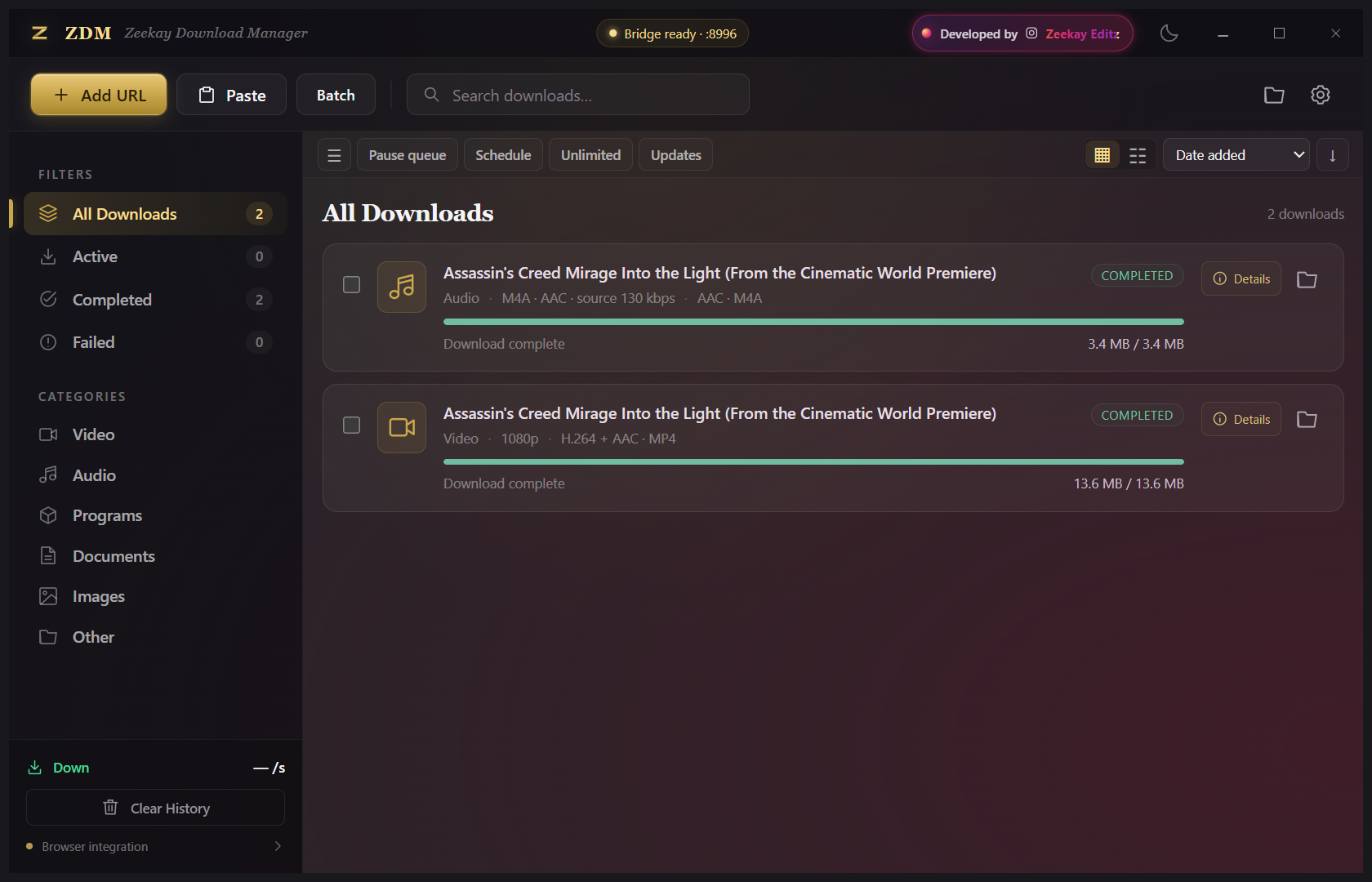
Use the in-video ZDM badge to see the resolutions the source provides. Pick video or audio without copying links between multiple download websites.
EXCLUSIVE FROM ZEEKAY · FREE GIFT
 ZDM Zeekay Download Manager
Your next edit starts before the timeline. Bring supported web videos and audio into one organized Windows download manager, with output choices made for an editor’s workflow.
Windows x64 · Chrome & Edge companion · No paid activation key
Installer hosted on Google Drive. No sign-up on this website.
“I made ZDM for the little moments that slow an edit down: finding a usable format, collecting source files, and keeping downloads organized. This release is my free gift to video editors and creators.”
— Zeekay · ZeeKay Editz
BUILT AROUND THE EDIT
Use the in-video ZDM badge to see the resolutions the source provides. Pick video or audio without copying links between multiple download websites.
The Editing preset targets H.264 video and AAC audio in MP4. Compatible tracks can be copied; sources that need conversion are processed with FFmpeg.
Pause and resume where the source supports it. Queue links in batches, set transfer limits, and let a narrow progress window stay out of your timeline’s way.
FOUR OUTPUT CHOICES
| Preset | Output | Choose it when… |
|---|---|---|
| Editing | MP4 · H.264 video + AAC audio | You want a widely supported editing format. Video uses yuv420p; audio is included when the source has it. |
| Original | Source format | You prefer to keep the original codecs and container; adaptive tracks may still need merging. |
| AAC / M4A | AAC audio in M4A | You need compressed audio for a lighter file. |
| WAV | 48 kHz · 24-bit PCM audio | You want PCM audio for your editing or audio session. |
Resolution depends on the source; ZDM does not invent missing quality or missing audio. Converting an audio source to WAV does not restore detail that was already lost. The Editing preset is designed for editing workflows, not an Adobe-certified integration.
INSTALL ONCE. THEN GET BACK TO EDITING.
There is no license-key activation. “Activation” here means connecting the browser companion to your local ZDM app.
Use the gold download button to open the Google Drive file, then choose Drive’s Download button. Run ZDM-Next-Setup-1.2.3.exe and open ZDM Next from your desktop or Start menu. If you are updating, first choose Exit ZDM from the existing tray icon.
ZDM uses the .NET 10 Desktop Runtime for Windows x64 and Microsoft Edge WebView2 Runtime. If Windows reports either is missing, install it from Microsoft, then reopen ZDM.
In ZDM, select Browser integration → Open extension folder. The installed folder is normally C:\Users\USERNAME\AppData\Local\Zeekay\ZDMNext\Browser Extension. Replace USERNAME with your Windows account name. Use this app-generated folder: a source-code extension folder is not automatically paired.
In Chrome, type chrome://extensions in the address bar. In Edge, type edge://extensions. Enable Developer mode, click Load unpacked, and select the Browser Extension folder opened by ZDM. Pin the extension and refresh video tabs that were already open.
Keep the desktop app running, play a supported video, and click the gold ZDM badge near its upper-right corner. Choose Video or Audio, select an available format, then Download. You can also use Add URL or Batch inside the desktop app.
Set a default folder and output preset in Settings. Choose narrow or wide progress mode once; future popups use your last choice. Enable Start with Windows if you want ZDM ready in the tray when you sign in.
ZDM 1.2.3
Supported sources can include YouTube and other website videos, direct files, HLS and DASH. Site availability changes. DRM/protected media, automatic browser-cookie transfer and universal website coverage are not offered. HDR sources are not automatically tone-mapped by the Editing preset; use a suitable SDR source or Original mode. Download only media you own or have permission to use.
QUICK ANSWERS
Yes. ZDM 1.2.3 is a free gift from ZeeKay Editz to the video editing community. No paid activation key is needed.
ZDM supports YouTube and other supported website videos. The formats and resolutions shown depend on the source and current site availability; every website or protected video is not supported.
No. Keep the ZDM Windows app running. Load the Browser Extension folder generated by your installation so the extension can connect to its local desktop bridge.
The Editing preset targets H.264 video and AAC audio in MP4. Choose Original to keep the source format, AAC/M4A for compressed audio, or 48 kHz, 24-bit WAV for PCM audio. Compatibility still depends on your editor and source media.
This release is a Windows x64 desktop app with Chrome and Edge extension setup. It does not include a native macOS, mobile or Firefox build.
Orange means formats are being analyzed, green means choices are ready, and red means analysis failed. Try Refresh formats and check the desktop connection if needed.
FROM ONE EDITOR TO ANOTHER
Grab ZDM, connect your browser, and give source collection its own place in your workflow.
Get ZDM 1.2.3 — freeNeed the story behind it? Read the ZDM launch post.
Need help? Contact ZeeKay Editz.